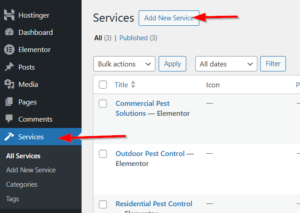
The Services CPT allows you to create detailed pages for each pest control service you offer.
Step 1: Navigate to Services
Dashboard → Services → Add New
Available Templates
Services can use:
-
Default Template: Theme’s built-in service layout
-
Elementor Template: Pre-built service page designs
-
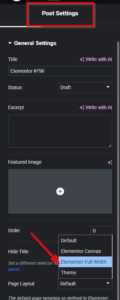
Full Width: Custom Elementor design
for Elementor :
- Edit it with Elementor
- Choose page layout as Elementor Full Width
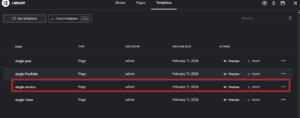
- Then, from the saved template,s insert a single service template
If you relied on the default template :
Step 2: Enter Basic Information
-
Title: Name of service (e.g., “Termite Control”)
-
Content: Detailed description (optional, can use Elementor)
Step 3: Configure Service Settings
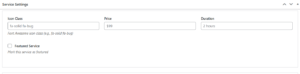
Service Settings Meta Box
| Field | Description | Example |
|---|---|---|
| Icon Class | Font Awesome icon | fa-solid fa-bug |
| Price | Service price | $199 |
| Duration | How long service takes | 2 hours |
| Featured Service | Check to highlight | ☑ Featured |
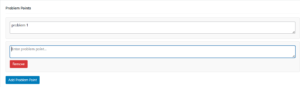
Problem Points
Add common problems this service solves:
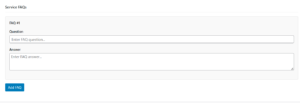
Service FAQs
Add frequently asked questions:
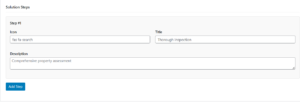
Solution Steps
Break down the service process:
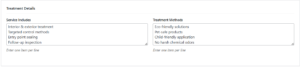
Treatment Details
-
Service Includes: One item per line
-
Treatment Methods: One item per line
-
Safety Points: One item per line
Call to Action
-
Button Text: e.g., “Book This Service”
-
Button Link: e.g.,
/contactor booking URL
