Create a comprehensive pest library with identification guides, risks, and treatment information.
Adding a Pest
Step 1: Navigate to Pests
Dashboard → Pests → Add New
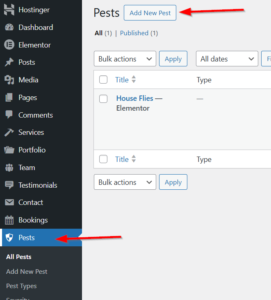
Step 2: Add Basic Info
-
Title: Pest name (e.g., “House Fly”)
-
Content: Detailed description (optional)
Pests can use:
-
Default Template: Theme’s built-in service layout
-
Elementor Template: Pre-built service page designs
-
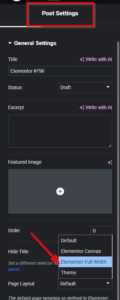
Full Width: Custom Elementor design
for Elementor :
- Edit it with Elementor
- Choose page layout as Elementor Full Width
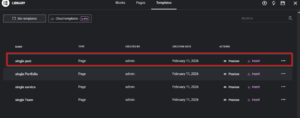
- Then, from the saved template,s insert a single Pest template
If you relied on the default template :
Step 3: Configure Pest Information
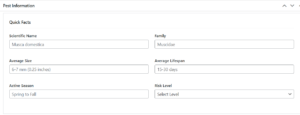
Quick Facts
| Field | Description | Example |
|---|---|---|
| Scientific Name | Latin name | Musca domestica |
| Family | Biological family | Muscidae |
| Average Size | Size description | 6-7 mm (0.25 inches) |
| Average Lifespan | How long they live | 15-30 days |
| Active Season | When they’re active | Spring to Fall |
| Risk Level | Low, Medium, High, Critical | Medium |
Identification
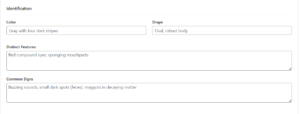
| Field | Description | Example |
|---|---|---|
| Color | Physical color | Gray with four dark stripes |
| Shape | Body shape | Oval, robust body |
| Distinct Features | Key identifiers | Red compound eyes |
| Common Signs | Infestation indicators | Buzzing, small dark spots |
Biology & Habitat
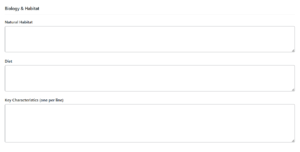
| Field | Description |
|---|---|
| Natural Habitat | Where they live naturally |
| Diet | What they eat |
| Key Characteristics | One per line |
Damage & Risks
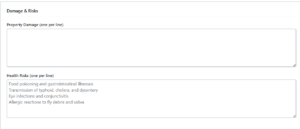
| Field | Description |
|---|---|
| Property Damage | One item per line |
| Health Risks | One item per line |
Prevention & Treatment
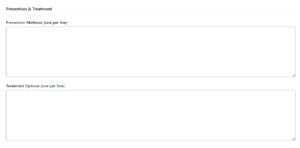
| Field | Description |
|---|---|
| Prevention Methods | One item per line |
| Treatment Options | One item per line |