Location
Appearance → Customize → Breadcrumbs
Overview
Breadcrumbs show users where they are on your site and help with navigation. They’re great for SEO and user experience.
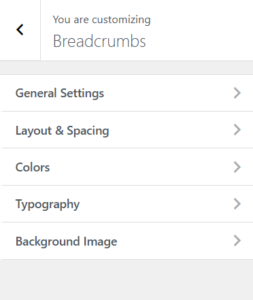
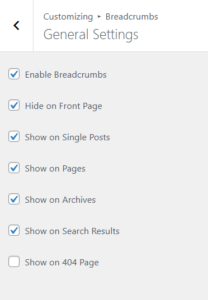
⚙️ General Settings
Enable/Disable Breadcrumbs
Turn breadcrumbs on/off site-wide
Where to Show Breadcrumbs
-
Hide on Front Page
-
Show on Single Posts
-
Show on Pages
-
Show on Archives
-
Show on Search Results
-
Show on 404 Page
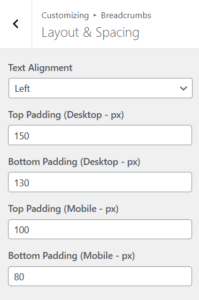
📐 Layout & Spacing
Text Alignment
-
Left (Default)
-
Center
-
Right
Padding (Desktop)
-
Top Padding: Default 150px
-
Bottom Padding: Default 130px
Padding (Mobile)
-
Top Padding: Default 100px
-
Bottom Padding: Default 80px
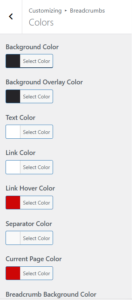
🎨 Colors
| Setting | Default |
|---|---|
| Background Color | var(--primary-color) |
| Overlay Color | rgba(0, 47, 71, 0.95) |
| Text Color | #ffffff |
| Link Color | #ffffff |
| Link Hover | #ce0606 |
| Separator | rgba(255,255,255,0.6) |
| Current Page | #ce0606 |
| Item Background | rgba(255,255,255,0.12) |
🔤 Typography
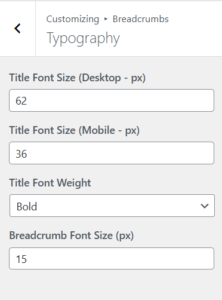
Title Settings
-
Desktop Size: 62px
-
Mobile Size: 36px
-
Font Weight: 700 (Bold)
Breadcrumb Text Size
-
Default: 15px
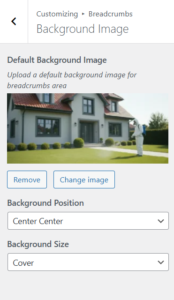
🖼️ Background Image
-
Upload a background image
-
Choose Background Position:
-
Left/Right/Center + Top/Center/Bottom
-
-
Choose Background Size:
-
Auto (original size)
-
Cover (fill area)
-
Contain (fit within)
-