Location
Appearance → Customize → Header Settings
Overview
The header is the most important part of your website. PestAnnihilate offers 4 header styles and extensive customization options.
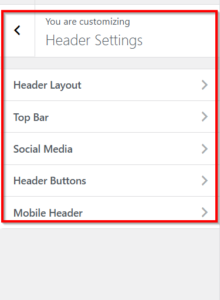
🏗️ Header Layout
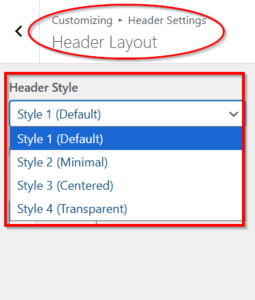
Header Styles
| Style | Preview | Best For |
|---|---|---|
| Style 1 (Default) | Logo left, menu right | Most businesses |
| Style 2 (Minimal) | Simple, clean | Modern brands |
| Style 3 (Centered) | Logo centered | Professional services |
| Style 4 (Transparent) | Overlays content | Hero sections |
📋 Top Bar Settings
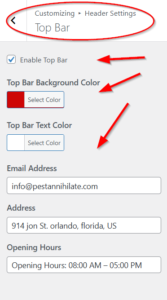
Enable/Disable Top Bar
-
Show contact info above header
-
Perfect for: Phone, email, hours, social links
Top Bar Colors
-
Background Color: Default accent red (
#ce0606) -
Text Color: Default white (
#ffffff)
Top Bar Content
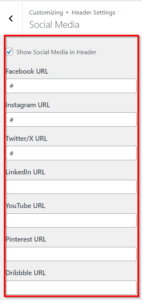
🔗 Social Media
Enable Social Icons in Header
-
Check Show Social Media in Header
-
Enter URLs for platforms you use
🎯 Header Buttons
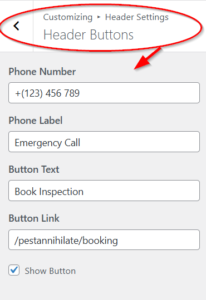
Phone Number Display
-
Phone Number: (407) 795-5288
-
Phone Label: Emergency Call
-
Displays with phone icon
Call-to-Action Button
-
Button Text: Book Inspection
-
Button Link: # (or contact page URL)
-
Show/Hide Button: Toggle visibility
📱 Mobile Header
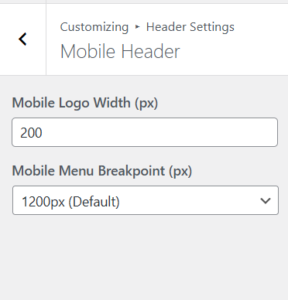
Mobile Logo Width
-
Set logo size on mobile devices
-
Default: 200px
-
Range: 50-400px
Mobile Menu Breakpoint
Choose when mobile menu activates:
| Option | When Menu Changes |
|---|---|
| 1200px (Default) | Desktop to tablet |
| 992px (Tablet) | Tablet to mobile |
| 768px (Mobile only) | Only on small phones |