1. Home
  2. Docs
  3. Pestannihilate WordPress ...
  4. Theme Configuration
  5. Logos

Logos

Location

Appearance → Customize → Logos

Overview

Upload different logos for different sections of your website. All logos support transparent PNG and SVG formats.

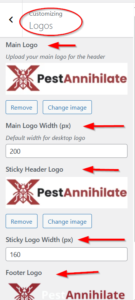
🖼️ Logo Settings


Setting Default Description
Main Logo None Header logo (desktop)
Main Logo Width 250px Adjust size
Sticky Logo None Logo when header sticks
Sticky Logo Width 160px Smaller for sticky header
Footer Logo None Logo in footer
Footer Logo Width 180px Footer logo size

How to Upload Logos

Step 1: Prepare Your Logo

Step 2: Upload Main Logo

  1. Go to Appearance → Customize → Logos

  2. Click Main Logo → Select Image

  3. Choose from Media Library or Upload New

  4. Click Select

  5. Adjust width using number field

  6. Preview changes

Step 3: Upload Sticky Logo (Optional)

  1. Scroll to Sticky Header Logo

  2. Click Select Image

  3. Upload smaller version of your logo

  4. Set width (usually smaller than main)

Step 4: Upload Footer Logo (Optional)

  1. Scroll to Footer Logo

  2. Click Select Image

  3. Upload logo for footer

  4. Set width

How can we help?

Leave a Reply

Your email address will not be published. Required fields are marked *