Create professional profiles for your team members, technicians, and staff.
Adding a Team Member
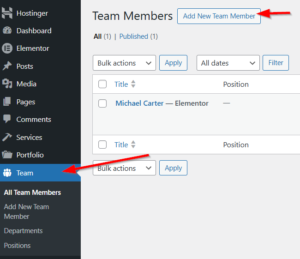
Step 1: Navigate to Team
Dashboard → Team → Add New
Step 2: Add Basic Info
-
Title: Member’s full name
-
Content: Biography (optional)
Team can use:
-
Default Template: Theme’s built-in service layout
-
Elementor Template: Pre-built service page designs
-
Full Width: Custom Elementor design
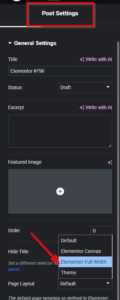
for Elementor :
- Edit it with Elementor
- Choose page layout as Elementor Full Width
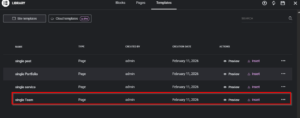
- Then, from saved templates, insert a single team template
if you relied on the defulte template :
Step 3: Configure Team Member Details
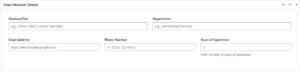
Team Member Details Meta Box
| Field | Description | Example |
|---|---|---|
| Position/Title | Job title | “Senior Technician” |
| Department | Which department | “Residential Services” |
| Contact email | “john@example.com” | |
| Phone | Contact phone | “(555) 123-4567” |
| Years of Experience | Number | “8” |
Social Media Links
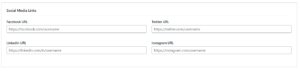
Add social profiles:
| Platform | Field |
|---|---|
| https://facebook.com/username | |
| https://twitter.com/username | |
| https://linkedin.com/in/username | |
| https://instagram.com/username |
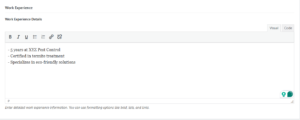
Work Experience
Use the visual editor to add detailed experience information:
Professional Skills Meta Box
Add skills with proficiency percentages:
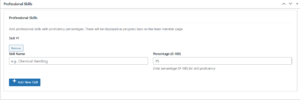
Skills display as progress bars on the team member page.