Overview
Before installing PestAnnihilate, ensure your hosting environment meets the minimum requirements for optimal performance.
📋 Minimum Requirements
| Component | Requirement | Recommended |
|---|---|---|
| WordPress Version | 6.0 or higher | Latest Version |
| PHP Version | 7.4 | 8.0 or higher |
| MySQL Version | 5.6 | 8.0 or MariaDB 10.4 |
| Memory Limit | 128M | 256M |
| Max Execution Time | 300 seconds | 600 seconds |
| Max Upload Size | 32M | 64M |
| Post Max Size | 32M | 64M |
| Max Input Vars | 1000 | 3000 |
🔧 How to Check Your Current Settings
Via WordPress Admin:
-
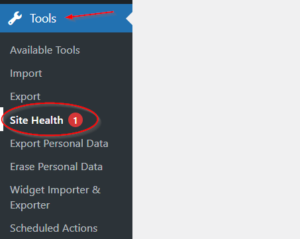
Go to Tools → Site Health
-
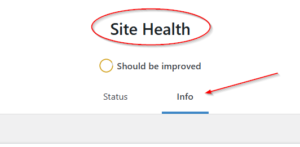
Click on the Info tab
-
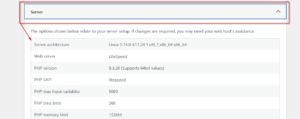
Look for Server section
Via FTP/cPanel:
Create a phpinfo.php file:
<?php phpinfo(); ?>
Upload to your server and access via browser.
⚡ Recommended PHP Extensions
-
curl– For remote requests -
gdorimagick– For image processing -
mbstring– For multilingual support -
xml– For XML processing -
zip– For theme/plugin installation -
json– For data handling
❗ Important Notes
-
Shared hosting is generally sufficient for most pest control websites
-
VPS or dedicated server recommended for high-traffic sites (10,000+ visitors/month)
-
Contact your hosting provider if you need to increase any limits